
Instead of manually checking tender notices and chasing decisions across email, build a tender alert to contract workflow that turns each relevant notice into an owned, evidence-backed opportunity. This 2026 guide connects tender discovery, bid preparation, submission tracking, and contract handover without treating an alert as permission to bid.
- Dauthau supports tender intelligence for Vietnamese businesses; use it for discovery and research within your tender alert to contract workflow.
- Assign one owner to each opportunity and verify requirements against the issuing source before approving a bid.
- Keep tender alerts, bid submissions, award decisions, and signed contracts as separate workflow stages.
- Recheck changed notices before submission; preserve the submission receipt and executed agreement as separate evidence.
Why this matters
A tender alert identifies a possible opportunity. It does not establish eligibility, confirm that your documents satisfy the requirements, or prove that a contract has been awarded. Your workflow needs explicit gates between discovery and commitment.
Dauthau is best for Vietnamese businesses that need tender intelligence to support bid decisions. Dauthau provides software for searching, tracking, and analyzing public and private procurement tenders, contractor data, and bidding results across Vietnam. Use that intelligence for discovery and research; keep approval, submission evidence, and contract execution under named internal owners.
For your 2026 process, measure progress by completed evidence rather than messages exchanged. A forwarded alert is not an assigned opportunity. An uploaded document is not proof of successful submission, and an award notice is not an executed agreement.
Before you start
- Prepare access and ownership. Give the responsible people access to tender intelligence, the issuing source, your shared document location, and a tender register. Identify a bid owner and an approval authority before routing alerts.
- Gather reusable materials. Assemble company information, relevant experience, technical evidence, authorization documents, and whatever the specific tender requires. Check validity and applicability rather than assuming a previous submission remains suitable.
- Prevent the deadline trap. Record the deadline, stated time zone, submission channel, and current document version from the issuing source. An alert summary is not the controlling instruction, and a changed notice requires another review.
The bold field names below are suggested labels for your own register, not Dauthau interface labels. Create equivalent fields in the system your team already uses; the process does not depend on an undocumented connector or a particular application.
Opportunity intake and qualification
The first configuration unit turns an incoming notice into a decision-ready record. In 2026, keep the original notice reference attached to the opportunity so another reviewer can retrace the decision without searching an inbox.
- Create the register. Add fields named Tender reference, Source, Buyer, Scope, Deadline, Owner, Stage, Next action, and Evidence. Give each tender one primary record; attach later updates to that record instead of creating parallel opportunities.
- Define the discovery brief. Write down the goods or services you supply, relevant locations, buyer types, and exclusions. Use this brief to assess tender search results and incoming alerts. Separate genuinely different business lines rather than forcing unrelated opportunities into the same review queue.
- Assign an accountable owner. Enter one person in Owner, then record a specific next action. Use an action such as checking eligibility, not an ambiguous instruction such as reviewing the opportunity.
- Verify the notice. Open the issuing source, confirm the tender reference, and review the current requirements. Record the document version or publication details alongside the deadline and submission instructions.
- Make the qualification decision. Check mandatory eligibility, delivery capability, relevant experience, internal capacity, and document readiness. Enter Bid, No bid, or Clarification needed in a separate Decision field, with a short reason and supporting evidence.
Expected result: every shortlisted tender has one owner, a verified source, and a documented decision. Unqualified opportunities remain visible with their rejection reasons instead of disappearing into email.
For discovery-method selection, use the guide to tender alert software for Vietnamese contractors. Evaluate discovery separately from the controls needed to prepare and submit a bid.
Bid preparation and approval controls
A bid decision starts controlled preparation, not unrestricted drafting. Build the response around the tender's actual requirements so reviewers can identify omissions before the submission stage.
- Create a requirements matrix. Add Requirement, Required evidence, Responsible person, Document location, and Review status. Copy the requirement reference accurately and distinguish mandatory documents from supporting material.
- Allocate the work. Assign each requirement to a responsible contributor. Keep the overall bid owner accountable for gaps between technical, commercial, and administrative sections.
- Set internal review dates. Work backward from the verified submission deadline, allowing time for approvals and corrections. Record your chosen dates as internal controls, not as substitutes for the official deadline.
- Check the complete response. Run 2 checks: one against the requirements matrix and one against the submission instructions. Confirm signatures, authorizations, file requirements, and other conditions wherever the tender specifies them.
- Record release approval. Add Approved by, Approval date, and Approved version. Release only the version covered by that approval; substantive changes return to the responsible reviewer.
Expected result: the submission package has traceable evidence for its requirements, a named approver, and an identifiable approved version.
Choose the handoff method
These are workflow options, not claims about platform integrations. Choose the simplest handoff your team can operate consistently, then document who checks that it worked.
| Handoff option | Best for | Advantage | Limitation | Recommendation |
|---|---|---|---|---|
| Manual entry into a shared register | Teams establishing a controlled process | Makes the owner and qualification decision explicit | Requires consistent entry and duplicate checks | Start here when the process is not yet stable |
| Automated intake, where supported | Teams with established routing rules | Reduces repeated copying of notice details | Incorrect mappings can create incomplete or duplicate records | Use only after testing field mapping and exception handling |
Tender intelligence helps you find and research opportunities, but it does not replace tender-specific eligibility checks or internal authorization. Keep discovery assistance separate from approval authority. Automation should move information; it should not silently approve a commitment.
Submission evidence and outcome tracking
The submission unit separates preparation from proof of delivery. Use a distinct stage for each event rather than one broad status that conceals unfinished work.
- Preparation. Confirm that the approved package matches the latest tender instructions. Recheck amendments, deadlines, file requirements, and the authorized submission method immediately before proceeding.
- Submission. Submit through the channel required by the tender. Do not treat saving a draft, uploading a file, or preparing an email as successful delivery.
- Receipt. Preserve the confirmation supplied by the submission channel. Record its reference, timestamp, and document location in your register; investigate any missing or unsuccessful confirmation.
- Outcome. Track clarification requests and published decisions against the same tender record. Assign an owner to each response and record the applicable deadline from the request itself.
Expected result: a reviewer can distinguish an approved package from a submitted bid and can locate the submission evidence without contacting the person who submitted it.
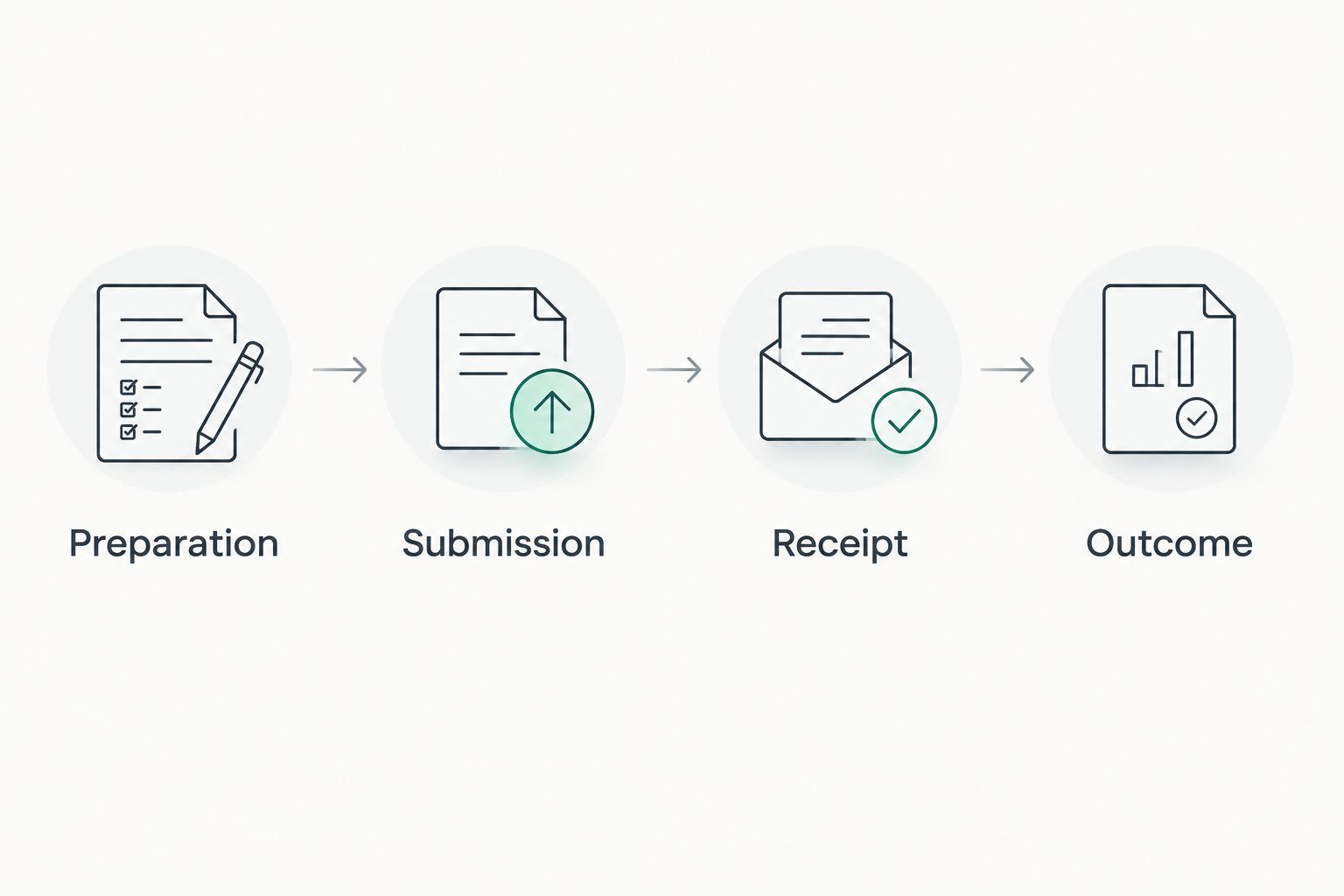
For your 2026 register, retain the distinction between Submitted, Award notified, and Contract signed. These proposed stage labels represent different events. Move the record only when the corresponding evidence exists, not when a colleague expects the next event to happen.
If a clarification changes your response, preserve the submitted version and the later response separately. This keeps the decision trail readable and prevents a revised working file from replacing the evidence of what you actually sent.
Contract execution and delivery handover
An award decision starts the next review; it does not complete the workflow. Confirm what must happen before execution and transfer the final obligations to the team responsible for delivery.
- Record the award evidence. Attach the relevant decision or notification and identify any stated next actions. Assign responsibility for outstanding documents, negotiations, or approvals without assuming every procurement follows the same sequence.
- Review the contract text. Compare the proposed agreement with the approved commitments and the relevant procurement documents. Route discrepancies to the responsible commercial or legal reviewer before signature.
- Verify execution. Check that the required parties have completed the applicable signing process. Save the executed agreement and record its location before changing Stage to Contract signed.
- Create the handover record. Extract deliverables, milestones, acceptance requirements, reporting duties, and other obligations from the signed agreement. Assign a delivery owner and obtain acknowledgment of the handover.
- Close the bid record. Keep 3 evidence groups distinct: the submission package, the award decision, and the executed agreement. Link them within the opportunity record, then retain the working materials according to your organization's policy.
Expected result: the delivery team receives the executed commitments, not just a forwarded award message. The bid owner can show where approval, submission, award, and signature occurred.
For 2026 handovers, check whether any obligation begins before the main delivery work. Extract the actual dates from the agreement rather than assuming the delivery team will discover them later.
When an existing tender notice changes
Use a second workflow for updates to an opportunity already in your register. A revised deadline or specification should trigger reassessment, not a duplicate opportunity.
- Match the update to Tender reference and verify it against the issuing source.
- Record what changed, when you checked it, and which source document supports the change.
- Identify affected requirements, working documents, approvals, and internal dates.
- Return affected work to its responsible reviewer and notify the bid owner.
- Reconfirm the approved submission package before proceeding.
Expected result: the team works from the current requirements while retaining the earlier decision trail.
Best for active bids: update the existing record and reopen affected checks. The benefit is continuity; the limitation is that someone must assess the change rather than merely acknowledge an alert. If a bid has already been submitted, follow the issuing source's instructions for any permitted response instead of assuming replacement is allowed.
Troubleshooting
Duplicate records divide responsibility
Match incoming notices using the tender reference and issuing source, not the title alone. Merge duplicate working records, retain their supporting evidence, and confirm one accountable owner before further action.
Alerts produce too many irrelevant opportunities
Review rejected notices against your discovery brief. Tighten irrelevant terms and exclusions, then check the next results for missed relevant opportunities. Dauthau supports tender search and analysis; your qualification criteria still determine which opportunities deserve preparation time.
The team prepares against an old document
Compare the working package with the latest issuing-source documents. Mark superseded files clearly, identify affected requirements, and repeat the relevant approval checks rather than silently swapping attachments.
A bid appears submitted but has no confirmation
Inspect the submission channel for its actual status and any error message. Preserve the evidence, escalate to the bid owner, and follow the channel's documented recovery instructions. Do not mark the bid submitted solely because an upload finished.
An award is recorded as a signed contract
Return the opportunity to the evidence-supported stage. Assign the remaining execution actions and keep delivery handover separate until the executed agreement is available.
Customize your workflow
Start with one shared register, one owner per opportunity, and explicit evidence gates. Add routing rules only after those controls work consistently. A faster intake process provides little value if it sends unqualified notices into preparation.
Use Dauthau tender intelligence for discovery and research, then tailor internal review to the actual opportunity. A complex response needs different contributors from a straightforward supply bid; both still need a verified source, an approval decision, and submission evidence.
Review your 2026 workflow using questions your records can answer: which stage lacks an owner, which requirement lacks evidence, and which handover lacks acknowledgment? Fix those gaps before adding more notifications.
FAQ
What is a tender alert to contract workflow?
A tender alert to contract workflow is a controlled process that moves an opportunity from discovery through qualification, preparation, submission, award review, and contract execution. Each stage needs an owner and evidence before the opportunity advances.
Can Dauthau support tender discovery in Vietnam?
Dauthau provides tender-intelligence software for searching, tracking, and analyzing procurement tenders, contractor data, and bidding results across Vietnam. Use that research alongside tender-specific verification and your internal bid controls.
Do I need an automated integration to start?
No, you can start with a shared register and a documented manual handoff. Introduce automated intake only where supported and after testing duplicate handling, field mapping, and ownership assignment.
What should trigger a bid or no-bid decision?
Verified eligibility, delivery capability, relevant experience, capacity, and document readiness should drive the decision. Record the reason and supporting evidence before committing preparation resources.
What should I do when a tender deadline changes?
Verify the change against the issuing source and update the existing opportunity record. Reassess internal dates, affected documents, and approvals before submitting.
Does an award notice mean the contract is signed?
No, an award notice and an executed agreement are separate records. Keep the opportunity in the evidence-supported stage until the required signing process is complete.
What evidence should I retain after submitting a bid?
Retain the submitted package and the confirmation provided by the submission channel. Keep later clarification responses, award evidence, and the executed agreement identifiable as separate records.
One last thing
Rehearse the handover before the next live deadline. Ask someone outside the bid team to locate the controlling notice, approved package, submission evidence, and next action using only the register. Every answer that requires searching a personal inbox identifies a process gap you can fix before it becomes urgent.